
There are dozens of virtual printers capable of creating PDF files out of a number of Office files and other types of documents, and there is also a wide range of PDF editors out there that will let you enhance them to various degrees. pdfFactory, however, brings you the best of both worlds in one single application, allowing you to create and customize PDF files in a clear and straightforward way.
For a change, pdfFactory is not presented by its developers as a full replacement for Acrobat Pro DC, a goal that no other PDF editor in the market has ever reached. pdfFactory offers enough PDF-related functionality to satisfy the average user, but do not expect an Adobe Acrobat twin for a fraction of its tag price.
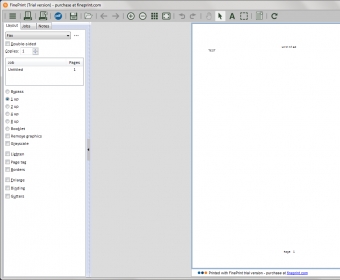
Easy to install and set up, it works just like any other printer when it comes to transforming any printable document into a PDF file. Just send it to the pdfFactory printer and wait for the program to open the resulting PDF in its editing window. There you can preview the file and perform some basic edits to it, such as rotate your PDF file, embed the original fonts, customize the way links will be dealt with, delete unwanted pages and rearrange the rest, combine various files into a single PDF, copy it to the clipboard, and send it via e-mail to someone else as an attachment.
In terms of options, the most comprehensive of all its features refers to the protection of the PDF file. The program allows you to encrypt it, add a password to it to prevent unauthorized viewing and to determine if the text and images of the file can be copied and if the PDF file can be printed or changed in any way.
These are, in a nutshell, the PDF-related functions and options included in pdfFactory – if you need more, such as page and text editing, notes, tables of contents, or letterheads, you will have to upgrade to pdfFactory Pro.






Comments (1)